
ABAP Tags is an Open Source Plugin which provides tools for adding arbitrary tags to ADT objects.
The main features of this plugin are:
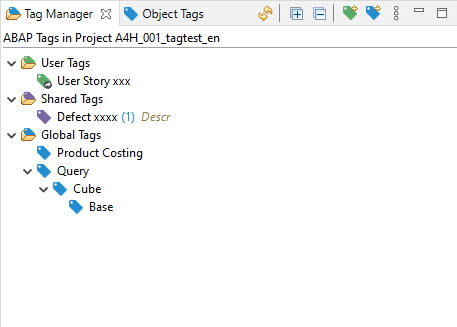
- View to manage ABAP Tags
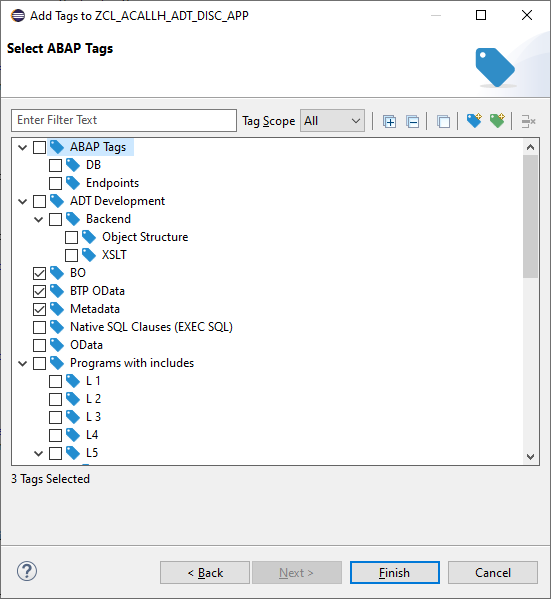
- Wizard to assign Tags to ADT objects
- View to handle ABAP Tags for a single ADT object
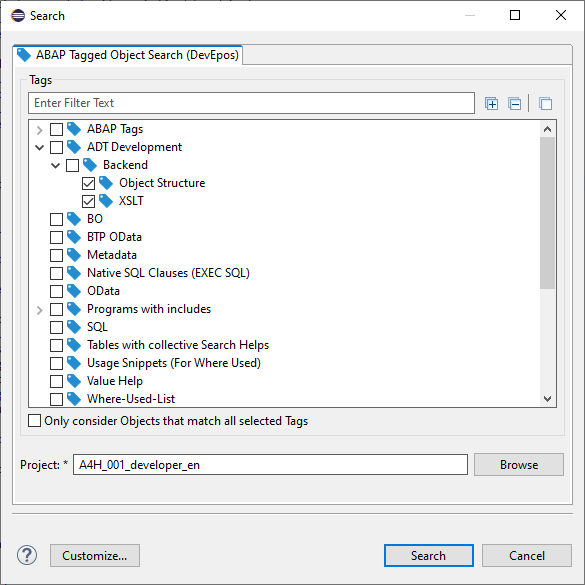
- Search View, to search for tagged objects
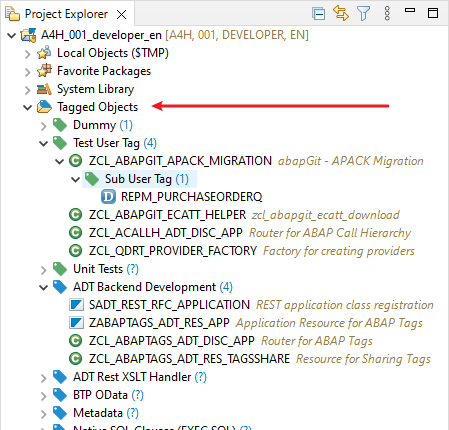
- Tree in Project Explorer to browse all Tagged Objects easily
Prerequisites before installing the plugin
- The ABAP Development Tools Plugin is installed
- The ADT Backend for ABAP Tags is installed
More details can be found at https://devepos.com/projects/adt-plugins/abap-tags
Categories: Application Development Frameworks, Tools
Additional Details
Eclipse Versions: 2024-03 (4.31), 2023-12 (4.30), 2023-09 (4.29), 2023-06 (4.28), 2023-03 (4.27), 2022-12 (4.26), 2022-09 (4.25), 2022-06 (4.24), 2022-03 (4.23), 2021-12 (4.22), 2021-09 (4.21), 2021-06 (4.20), 2021-03 (4.19), 2020-12 (4.18), 2020-09 (4.17), 2024-06 (4.32), 2024-06 (4.33)
Platform Support: Windows, Mac, Linux/GTK
Organization Name: DevEpos
Development Status: Production/Stable
Date Created: Sunday, July 12, 2020 - 10:29
License: MIT
Date Updated: Thursday, May 30, 2024 - 16:40
Submitted by: Ludwig Stockbauer-Muhr
| Date | Ranking | Installs | Clickthroughs |
|---|---|---|---|
| July 2024 | 320/656 | 23 | 10 |
| June 2024 | 339/681 | 29 | 17 |
| May 2024 | 362/682 | 23 | 11 |
| April 2024 | 365/687 | 24 | 12 |
| March 2024 | 310/694 | 45 | 9 |
| February 2024 | 304/687 | 40 | 5 |
| January 2024 | 416/691 | 17 | 7 |
| December 2023 | 419/671 | 16 | 4 |
| November 2023 | 384/686 | 25 | 7 |
| October 2023 | 400/673 | 21 | 8 |
| September 2023 | 389/663 | 21 | 7 |
| August 2023 | 399/673 | 18 | 9 |
Marketplace Drag to Install Button
By adding the following code below to your website you will be able to add an install button for ABAP Tags.
HTML Code:
Markdown Syntax:
Output:
