
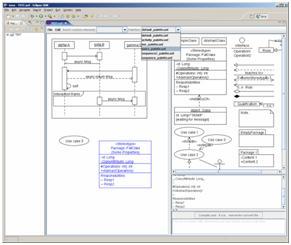
The free UML tool UMLet lets you draw UML diagrams with a light-weight, pop-up-free user interface. It lets you draw diagram sketches fast; export diagrams to pdf, eps, jpg, gif, svg, bmp, png, and system clipboard; share diagrams using Eclipse 3+; and create your own custom graphical elements.
Categories: Documentation, Graphics, Modeling Tools, Tools, UML
Tags: UML, education, UML sketches, Favorite, Fast UML, Java Test, UMLet, Free UML for Eclipse, good, Amazing, y, to download, spam, funny
Additional Details
Eclipse Versions: 2023-03 (4.27), 2022-12 (4.26), 2022-09 (4.25), 2022-06 (4.24), 2022-03 (4.23), 2021-12 (4.22), 2021-09 (4.21), 2021-06 (4.20), 2021-03 (4.19), 2020-12 (4.18), 2020-09 (4.17), 2020-06 (4.16), 2020-03 (4.15), 2019-12 (4.14), 2019-09 (4.13), 2019-06 (4.12), 2019-03 (4.11), 2018-12 (4.10), 2018-09 (4.9), Photon (4.8), Oxygen (4.7), Neon (4.6), Mars (4.5), 2023-06 (4.28), 2023-09 (4.29), 2023-12 (4.30), 2024-03 (4.31), 2024-06 (4.32), 2024-06 (4.33)
Platform Support: Windows, Mac, Linux/GTK
Organization Name: The UMLet Team
Development Status: Production/Stable
Date Created: Saturday, November 5, 2005 - 23:50
License: GPL
Date Updated: Friday, October 6, 2023 - 10:50
Submitted by: UMLet Team
| Date | Ranking | Installs | Clickthroughs |
|---|---|---|---|
| July 2024 | 52/656 | 477 | 18 |
| June 2024 | 48/681 | 782 | 25 |
| May 2024 | 37/682 | 1104 | 38 |
| April 2024 | 41/687 | 1093 | 28 |
| March 2024 | 50/694 | 877 | 28 |
| February 2024 | 49/687 | 730 | 17 |
| January 2024 | 50/691 | 814 | 29 |
| December 2023 | 33/671 | 1200 | 30 |
| November 2023 | 36/686 | 1251 | 36 |
| October 2023 | 34/673 | 1471 | 45 |
| September 2023 | 49/663 | 900 | 27 |
| August 2023 | 60/673 | 643 | 21 |
Unsuccessful Installs
Unsuccessful Installs in the last 7 Days: 1
| Count | Error Message |
|---|---|
| 1 | Cannot continue the operation. There is another install operation in progress. |
Marketplace Drag to Install Button
By adding the following code below to your website you will be able to add an install button for UMLet - UML Tool for Fast UML Diagrams.
HTML Code:
Markdown Syntax:
Output:

Reviews Add new review
Good, Free, Developing continuously, Vector Graphics Export
Submitted by Christoph Knabe on Fri, 06/06/2014 - 09:12
Instantly works. Very good for rapidly drawing ideas.
I use it regularly for producing documentation with UML diagrams inside.
In order to avoid multiple rastering defects in drawings, I use the SVG export and automatically transform the .svg files to .odg (OpenOffice Drawing and Graphics) by svg2office-1.2.2.jar.
The result looks very clean.
For manual high quality export the diagram as EPS, insert it into OpenOffice by Insert > Image > From File...
Inside OpenOffice it looks not yet good, as this uses only the EPS preview.
Then print the document to a PDF printer (Do not use export!) and you will have the diagram in high-quality vector graphics in the PDF.
My favorite UML editor
Submitted by Alex K on Sat, 03/29/2014 - 01:51
This is the best way to quickly sketch out diagrams! By focusing on the content the tool lets to experiment quickly and does not slow down the thinking. Other tools do not come close (well maybe SDEEdit for sequence diagrams).
I love custom elements feature too, very powerful!
gread
Submitted by Missing name M… on Wed, 03/19/2014 - 03:33
very great uml tool
Nice tool, but still has a lot of disadvantages
Submitted by Simon Rohlwing on Thu, 02/27/2014 - 08:01
A good alternative for dia. Especially with the support for properties of the elements.
A little awkward to use, but you get used to that quickly.
But could do much better if it had (I tested version 12.2):
- working z-order (automagical isn't working good - copied object is behind original object - who would want that?)
z-order context menu would be good
- display which element-type i'm working (may be even with support to change)
- fields for different properties
- transparency
Without correct z-ordering my diagrams look ugly.
Your suggestions..
Submitted by UMLet Team on Thu, 04/17/2014 - 12:08
In reply to Nice tool, but still has a lot of disadvantages by Simon Rohlwing
There is z-order support via the "layer=1,-1,2,-2.." command, but a bit tricky to find; v13 will have context-sensitive help in the panel, and maybe element context menu entries for layering. v13 will also allow more transparent element type handling, including on-the-fly changes between similar elements. "fields for different properties" (if I understand correctly) are unlikely to come; we prefer the single text panel approach to pop-ups, separate fields, and any other interface elements that restrict free text flow and UMLet's copy/paste logic (if I interpret this point wrong, let info@umlet.com know). Finally, all elements are transparent by default; we might look into opacity in the future.
What a terrible website!
Submitted by Steven Edmunds on Tue, 02/11/2014 - 10:19
I'm not sure why anyone would download this after seeing the developer's website. The sole purpose of the site looks to be tricking people into accidentally clicking on one of the many sketchy camouflaged advertisements.
Site/ads
Submitted by UMLet Team on Wed, 04/16/2014 - 12:45
In reply to What a terrible website! by Steven Edmunds
Our Web site's design could indeed be improved; it's just more fun to work on UMLet than on HTML (btw, v13 will probably be out in a few weeks). We use Google ads, and try to manually block the more aggressive ads (eg, those with large download buttons) that started to appear in the ad rotations in the last 12-18 months. (It's a bit tricky, as everyone might see different ads.)
Very simple but very powerful
Submitted by Michael Price on Sat, 12/07/2013 - 06:43
I can quickly start drawing from the palette. The number of features is huge. Always adding new features. Very intuitive. Can even create my diagram elements.
simple, easy, usefull...
Submitted by Stefan Eich on Thu, 11/21/2013 - 09:14
great, thanks a lot!
Saves a lot of time!
Submitted by Ricardo Tubio-… on Thu, 10/03/2013 - 17:34
Even though this tool does not promise to generate your application by creating a simple diagram, at least, it works! You can create UML diagrams in very little time.
how to install this hell plugin?
Submitted by khalil saedi on Mon, 09/16/2013 - 08:39
it became so annoying , what is the instruction to install it?
Did you google it before asking?
Submitted by Morteza Tourani on Sat, 10/19/2013 - 06:52
In reply to how to install this hell plugin? by khalil saedi
The answer is simple look at this page
www.umlet.com/faq.htm
just download jar file and put it in plugins folder of eclipse
www.umlet.com/changes.htm
You can download it here
At least it works
Submitted by Mike Houston on Tue, 08/27/2013 - 14:43
There are many free UML tools out there many of them don't even work. This tool does. Great free tool for putting together a quick diagram to include in your design docs. The hardest part is figuring out how to download the plugin. It would be great to have an install link right on the Eclipse Market Place. I get the fact that they are trying to make some money to support the project by putting links to SPAM ware on their site but it would be nice if they were a little clearer about what you are downloading when you click on one of the large Download links. To get the actual UML tool you have to ignore the huge green buttons to download various SPAM ware products and click on a small download link in the middle left of the page. As far as the actual application The User interface is a little different but with a little practice you can get the hang of it. It prints diagrams well and allows you to export them to many different graphical formats. A great tool for doing some quick UML diagrams but probably not the right tool for doing a large UML model.
still the best UML tool
Submitted by megaload@ypmai… on Mon, 08/12/2013 - 07:41
pros
+simple
+easy to use
+free
cons
-no reverse engineering
-no update site for eclipse
PS This is the best UML tool because others including papyrus and omondo uml are unusable, probably this is a problem of GEF, which they use as their base.
I use UMLet since the TogetheJ was destroyed by Borland.
For more than 8 years UMLet is the best solution.
Thanks for the team.
Best tool ever
Submitted by Diego Beraldin on Fri, 08/09/2013 - 08:59
This is by far the best UML modeling tool I've ever used, it compares well with (and in many ways it overtakes) other ineffective, costly and cumbersome programs. It's easy to use, standard compliant, lightweight and free: what else can we ask? Thanks a lot guys, great work!
Wonderfull
Submitted by alessandro Mis… on Thu, 06/20/2013 - 05:21
Great app!!!
Used nearly daily.
Submitted by Simon Rorke on Tue, 06/18/2013 - 11:50
I have a very low budget for software - open source all the way.
I use UMLet for ALL my drawing needs.
Any diagram explaining a process, idea, flow chart, whatever - UMLet.
Thanks for an excellent tool :-)
both thumbs up
Submitted by Jonny Kent on Wed, 05/15/2013 - 21:49
this is a really great app. Easy to use. Well done!
Thumbs up
Submitted by Michael Scheepers on Sat, 04/27/2013 - 22:27
What a great tool! Really efficient and easy to use!
Great App
Submitted by Maciej Ostrowski on Thu, 03/21/2013 - 13:49
Umlet is really practical tool.
great app
Submitted by tomer st on Mon, 03/04/2013 - 07:27
great app
Just the right fit
Submitted by Apurva Singh on Sat, 03/02/2013 - 09:05
...for simplicity and power. After having used Rose, RSA, Visual Paradigm etc. I fell for Umlet. It is exactly what a programmer needs. Neither complex, nor lacking in capability.
Seopatodo
Submitted by seopatodo seopatodo on Thu, 02/21/2013 - 10:51
thank you very much very easy to use.
Excellent open source software
Submitted by Ismet Mustafic on Fri, 01/25/2013 - 11:37
Easy to use. Took me only a couple,of minutes to get the hang of how to construct diagrams. Recommended!
good
Submitted by tian lin on Fri, 11/16/2012 - 21:42
cool,thanks!
Simple, fast, beauty
Submitted by Luis Rodríguez… on Fri, 09/21/2012 - 13:37
Thanks!
Hooray!
Submitted by Marcus Kelvin on Tue, 06/12/2012 - 08:32
This saved my life today when the UML app I paid for suddenly proved inadequete. But everything brightened back up again after a few minutes playing with umlet! Thanks!! One of the nicest new pieces of software I've used in a while. Totally straightforward, works smoothly, and the combination drag n' drop + text config interface is a GREAT IDEA. I used it stand-alone, and I bet the XML file format would be easy to parse for, eg, a custom code generator.
Z-Order
Submitted by Whisnu Sucitanuary on Mon, 05/14/2012 - 10:57
How to change the order of elements?
Z-order
Submitted by UMLet Team on Wed, 10/03/2012 - 05:10
In reply to Z-Order by Whisnu Sucitanuary
Explicit z-order control (useful for pdf exports of background-colored elements) will probably be included in v12.1; not yet in the upcoming v12.0.
--The UMLet Team
Update Site
Submitted by Sven Köhler on Mon, 04/23/2012 - 11:19
The UMLet authors don't seem to provide an update site. Dear UMLet authors, can you fix that? Pretty please with sugar on top.
installation problems
Submitted by Jeff Collier on Thu, 04/12/2012 - 17:14
Its not clear how to install this plugin; Is the URL correct?
Installation
Submitted by UMLet Team on Wed, 10/03/2012 - 05:08
In reply to installation problems by Jeff Collier
On http://www.umlet.com/changes.htm you can see the change history, and download current and older versions of UMLet.
--The UMLet Team
Excellent tool
Submitted by Bala N on Sat, 03/31/2012 - 08:28
Excellent tool
UMLet is fantastic!
Submitted by Thomas Senior on Tue, 03/20/2012 - 12:27
I've been using UMLet for years, and will be using it for years to come.
The "All in one" digrams help you explore ideas visually as if you are coding.
As for complexity, there's always "just enough", and never "too much".
I love this tool!
URL for eclipls...?
Submitted by A Saksena on Tue, 03/20/2012 - 07:23
From where i can download this plugin...?
doesn't work
Submitted by Jasper Floor on Thu, 03/15/2012 - 08:21
Spent ages trying to find the useful links on umlet website, the design of which gives me no confidence that the makers are competent to write a graphics tool. Dropped jar in plugins. Started eclipse. Created new umlet. Clicked on "pallet". kill -9 eclipse. Removed plugin.
Major fail.
SPAM!
Submitted by Boba Fett on Mon, 03/05/2012 - 09:04
This is just full of spam! Can't install UMLet, nothing to download or install, and every post in the last 2 years is just simply SPAM! Crap...
Spam/download
Submitted by UMLet Team on Wed, 10/03/2012 - 04:58
In reply to SPAM! by Boba Fett
Unfortunately, we can't remove spam postings from the comments. Thankfully, Marketplace cleans the comments periodically.
On http://www.umlet.com/changes.htm you can see the change history, and download current and older versions of UMLet. As UMLet evolves, sometimes we break file format conventions (we assume UMLet is used for throw-away sketches and pdf exports) -- so it might be useful to occasionally get an older version.
--The UMLet Team
UMLet review
Submitted by Nikolay Tsanov on Thu, 02/16/2012 - 05:24
I've been using UMLet for a day so far, and I am vastly impressed with it! It is an amazing piece of software and a joy to use, thanks for your outstanding job!
Excellent tool
Submitted by Dana Mising name on Fri, 11/11/2011 - 15:21
I tried UMLet tool and found it easy and friendly,
Strongly recommended.
thanks to people who are in charge
Great Job
Submitted by Missing name M… on Thu, 10/27/2011 - 13:22
Really easy to use and extend, great job!
so lovely that UMLet allow me to install offline
Submitted by Long Mising name on Fri, 09/23/2011 - 11:07
I really hate the "Update Site" style
How do you install in indigo??
Submitted by Missing name M… on Mon, 09/19/2011 - 05:52
New to eclipse and the java world how do you install this plugin in eclipse?
Great tool
Submitted by Jonathan Nash on Fri, 09/09/2011 - 16:15
Tried 3 or 4 other UML tools. They were really hard to use. Finally settled on this. What a pleasure to operate.
Very nice piece of software.
Submitted by scott_the_scot… on Wed, 08/17/2011 - 11:58
Very nice piece of software. Easy to use, responsive, ideal for quick UML diagrams without having any code generation baggage behind it.
Liked it
Submitted by K Srinivasa Rao on Thu, 08/11/2011 - 08:24
Excellent tool for UML. Used it for simple diagrams. Nice and intuitive use.
Thank you.
GREAT TOOL
Submitted by Corey Mising name on Tue, 08/09/2011 - 13:31
By far the best tool I have ever used for UML. No more clicking through endless dialogs to create a class diagram. I swear with some of those other tools it seems to take longer just defining the class diagram than it does to write the code for the class itself. I give it ALL STARS, Great Job :-)
nice and simple tool.
Submitted by pavan Mising name on Mon, 08/08/2011 - 11:31
Nice and simple tool. Integrates with Helios nicely.
Export as feature works great and convenient.
very good tools,thanks
Submitted by maodiesky Misi… on Fri, 08/05/2011 - 01:59
very good tools,thanks
UMLet - UML Tool for Fast UML Diagrams 11.3
Submitted by weerasakl85 Mi… on Mon, 07/11/2011 - 06:33
thank you