
PL/SQL Development
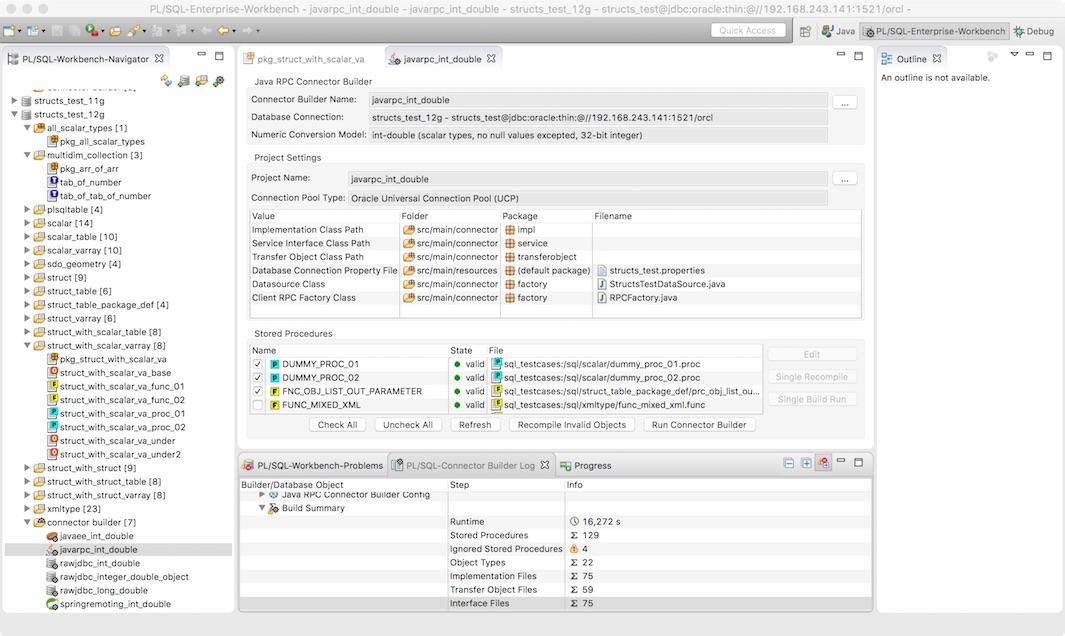
- The PL/SQL Workbench Perspective allows to organize the PL/SQL stored procedure resources.
- Edit stored procedures and supports content assist, failure marker, syntax highlighting and outline view.
- Lists problems and supports scm systems like git and subversion.
PL/SQL Connector Builder
- The PL/SQL Connector Builder generates Java access code to call the stored procedures directly by JDBC.
- Only the JDBC driver is required - no additional framework needed.
- Call the PL/SQL Connector Builder on a single resource, complete or via CI/CD process.
Maven Integration
- The PL/SQL Connector Builder is fully integrated to Maven.
- The generated code can automatically be generated in every build.
- Creating test connectors for integration tests is also possible.
Detailed information, examples and download of Maven-Plugin
https://www.jr-database-tools.com
Categories: Database, Database Development, Database Persistence
Additional Details
Eclipse Versions: 2022-09 (4.25), 2022-06 (4.24), 2022-03 (4.23), 2021-12 (4.22), 2021-09 (4.21), 2021-06 (4.20), 2021-03 (4.19), 2020-12 (4.18), 2020-09 (4.17), 2020-06 (4.16), 2020-03 (4.15), 2019-12 (4.14), 2019-09 (4.13), 2019-06 (4.12), 2022-12 (4.26), 2023-03 (4.27), 2023-06 (4.28), 2023-09 (4.29), 2023-12 (4.30), 2024-03 (4.31), 2024-06 (4.32), 2024-06 (4.33)
Platform Support: Windows, Mac, Linux/GTK
Organization Name: Jan Richter, Switzerland
Development Status: Production/Stable
Date Created: Monday, February 27, 2017 - 18:53
License: Commercial - Free
Date Updated: Friday, October 6, 2023 - 10:49
Submitted by: Jan Richter
| Date | Ranking | Installs | Clickthroughs |
|---|---|---|---|
| July 2024 | 562/656 | 3 | 11 |
| June 2024 | 464/681 | 9 | 20 |
| May 2024 | 551/682 | 4 | 16 |
| April 2024 | 497/687 | 8 | 12 |
| March 2024 | 485/694 | 9 | 16 |
| February 2024 | 468/687 | 9 | 20 |
| January 2024 | 571/691 | 3 | 25 |
| December 2023 | 462/671 | 10 | 6 |
| November 2023 | 494/686 | 8 | 6 |
| October 2023 | 471/673 | 12 | 23 |
| September 2023 | 481/663 | 10 | 13 |
| August 2023 | 511/673 | 6 | 8 |
Marketplace Drag to Install Button
By adding the following code below to your website you will be able to add an install button for PL/SQL Enterprise Workbench.
HTML Code:
Markdown Syntax:
Output:

Reviews Add new review
Seamless development and
Submitted by Jan Richter on Wed, 07/03/2019 - 11:42
Seamless development and runtime support for PL/SQL and Java.