
End Of Life Notice
This plug-in is no longer in development.
Compatibility:
- Eclipse 2020-06 and prior - Fully compatible
- Eclipse 2020-09 thru 2021-09 - Compatible with modifications
- Eclipse 2021-12 and later - Not compatible
Migration Details: EOL Notice and Migration Plan
These features have been moved exclusively into MyEclipse -- The IDE for Enterprise Java
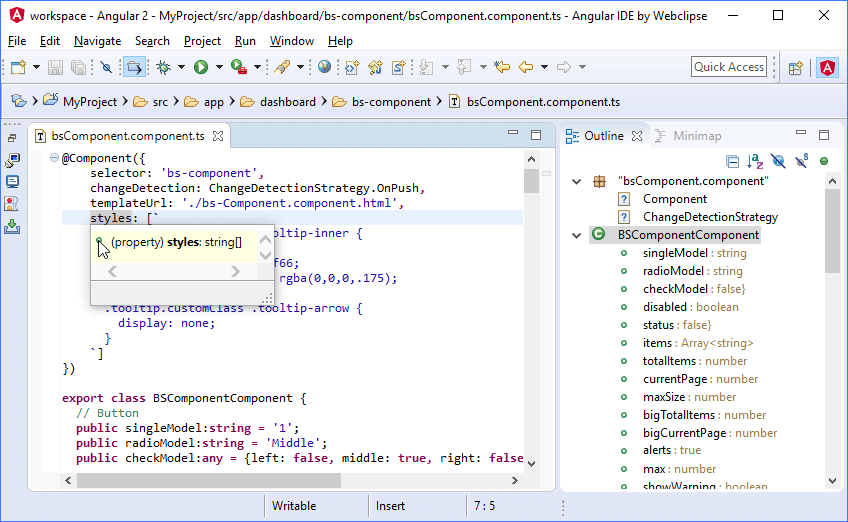
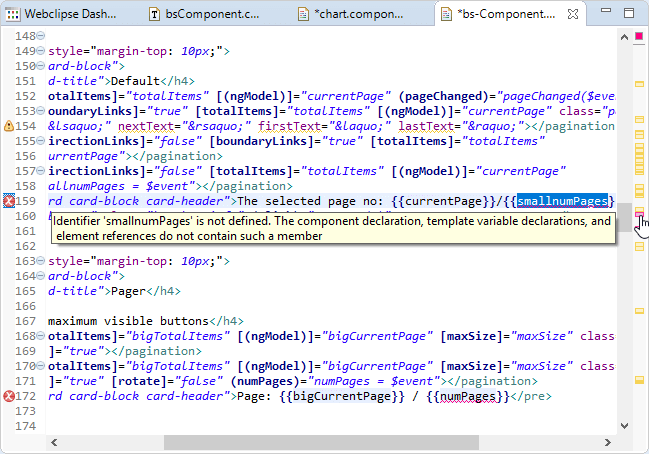
Now with Angular 9! Content assist, TypeScript 3 support, real-time validation, formatting, debugging, and more. Standalone version at Angular IDE.
Categories: Editor, Programming Languages, Web
Additional Details
Eclipse Versions: 2020-06 (4.16), 2020-03 (4.15), 2019-12 (4.14), 2019-09 (4.13), 2019-06 (4.12), 2019-03 (4.11), 2018-12 (4.10), 2018-09 (4.9), Photon (4.8), Oxygen (4.7), Neon (4.6), 2020-09 (4.17), 2020-12 (4.18), 2021-03 (4.19)
Platform Support: Windows, Mac, Linux/GTK
Organization Name: Genuitec, LLC
Development Status: Mature
Date Created: Wednesday, November 9, 2016 - 19:04
License: Commercial
Date Updated: Wednesday, December 14, 2022 - 09:49
Submitted by: Tim Webb
| Date | Ranking | Installs | Clickthroughs |
|---|---|---|---|
| July 2024 | 142/656 | 150 | 11 |
| June 2024 | 114/681 | 261 | 25 |
| May 2024 | 119/682 | 287 | 16 |
| April 2024 | 108/687 | 346 | 15 |
| March 2024 | 116/694 | 323 | 20 |
| February 2024 | 137/687 | 216 | 19 |
| January 2024 | 143/691 | 221 | 18 |
| December 2023 | 119/671 | 286 | 15 |
| November 2023 | 112/686 | 369 | 19 |
| October 2023 | 112/673 | 380 | 22 |
| September 2023 | 100/663 | 408 | 21 |
| August 2023 | 129/673 | 273 | 17 |
Unsuccessful Installs
Unsuccessful Installs in the last 7 Days: 42
Marketplace Drag to Install Button
By adding the following code below to your website you will be able to add an install button for Angular IDE.
HTML Code:
Markdown Syntax:
Output:

Reviews Add new review
21 Days and Dead!
Submitted by Lorin Mising name on Thu, 05/27/2021 - 15:35
I went to work on my code this morning and was told CodeMix was past its trial period and I needed to pay for the privilege going forward. Tried to delete it and it trashed the underlying editor experience. Had to reinstall Eclipse. Finding something other than Angular IDE from now on.
Want to check
Submitted by Billson Chew on Thu, 10/15/2020 - 04:55
I saw that "Now with Angular 9" in details.
But how many versions of Angular totally are support of this Angular IDE?
Installing Angular IDE
Submitted by JAY PATEL on Fri, 09/18/2020 - 12:31
I installed Angular IDE from Market place, and restarted eclipse. Now my Eclipse is failing to launch.
Eclipse fails to launch after installation
Submitted by Jincy P Janardhanan on Tue, 09/08/2020 - 01:38
I installed this plugin from the marketplace and now eclipse fails to launch.
How can I get my Eclipse IDE back now?
Re: Eclipse fails to launch after installation
Submitted by Brian Fernandes on Wed, 09/09/2020 - 13:35
In reply to Eclipse fails to launch after installation by Jincy P Janardhanan
Jincy - Sorry to hear this. We know Angular IDE doesn't cause this sort of failure, but an incomplete or glitched install of any plugins into Eclipse certainly could. While it is certainly possible to recover the install, the most expedient way to get back to a working installation would be to start with a new Eclipse install instead and repeat the installation. You could also look at downloading our Angular IDE installer from here - which will give you Eclipse + Angular IDE without any additional installations.
Error in install, any reason?
Submitted by Monil Doshi on Mon, 05/04/2020 - 04:59
An error occurred while collecting items to be installed
session context was:(profile=_eclipse_jee-2020-03_eclipse, phase=org.eclipse.equinox.internal.p2.engine.phases.Collect, operand=, action=).
Unable to read repository at link to downloads_genuitec_com/downloads/products/codemix/updates/cm20200407/plugins/com.genuitec.eclipse.code.engine.app.win32.x86_64
Premature end of Content-Length delimited message body (expected: 84,150,150; received: 59,682,739)
Re: Error in install, any reason?
Submitted by Brian Fernandes on Mon, 05/04/2020 - 10:21
In reply to Error in install, any reason? by Monil Doshi
Monil, this looks like it may have been a network glitch. The update site is working fine, can you try again please?
Re: Error in install, any reason?
Submitted by 益 张 on Sun, 07/26/2020 - 21:54
In reply to Error in install, any reason? by Monil Doshi
点击Install New SoftWare,在Work With后面输入以下地址http://download.eclipse.org/eclipse/updates/4.4,Name自己随便起,找到Eclipse Tests, Examples, and Extras下的 Eclipse 2.0 Style Plugin Support勾选并安装,最后重新安装该插件问题解决!
What a gimmick!
Submitted by Keerthi Pannee… on Mon, 04/27/2020 - 08:34
This plugin is just an 'as-is' rebundling of Visual Studio Code's Angular plugin. No reason why anyone would need to use this over VS Code. Genuitec is a fraudtec!
Re: What a gimmick!
Submitted by Brian Fernandes on Tue, 04/28/2020 - 18:20
In reply to What a gimmick! by Keerthi Pannee…
We’re sorry you feel that way. It’s no secret that Angular IDE is built on Code OSS tech. However, you appear to have missed our advanced build pipelines, control panels, formatting enhancements, deployment infrastructure, and many other features and capabilities that certainly are unique to Angular IDE. Not to mention the fact that we’re making Code tech and all their extensions available to developers in the Eclipse eco-system. We also offer a 45-day free trial. If you bought a license and still feel cheated, do contact our sales team.
Unable to install - MD5 hash is not as expected.
Submitted by David Morris on Fri, 01/03/2020 - 07:51
I am running Eclipse 4.13 (2019-09) and trying to install this plugin. I get the following error. Please help me resolve.
Problems downloading artifact: osgi.bundle,com.genuitec.eclipse.code.7z,2.0.0.201809141026.
MD5 hash is not as expected. Expected: 256f37c9978148a6fc12783a3336e8dd and found 5be5da450dc101fe2e513167547930c7.
Problems downloading artifact: osgi.bundle,com.genuitec.eclipse.code.elevation.win32,3.6.0.201910290238.
MD5 hash is not as expected. Expected: 130d605664e4e89a2281d0228a29cc3e and found c2992571e20e2b89dd3aa8def6af84f7.
Re: Unable to install - MD5 hash is not as expected.
Submitted by Brian Fernandes on Tue, 01/14/2020 - 07:57
In reply to Unable to install - MD5 hash is not as expected. by David Morris
David, we checked the sites and they are working as expected - could this be an error caused by proxying or a cache at your end? You could try installing into a fresh copy of Eclipse, or try using our archived update site instead, you can find that here: https://www.genuitec.com/products/codemix/download/
Unable to install
Submitted by N Woseley on Mon, 09/30/2019 - 14:27
Hi,
I have tried to install Angular IDE to Spring Tools Suite, however an error keeps arising that prevents the installation. Is there any way around that? Error and build details:
Version
Error:
Re: Unable to install
Submitted by Brian Fernandes on Thu, 10/03/2019 - 09:03
In reply to Unable to install by N Woseley
This isn't a plugin we require, it looks like there's an issue in your STS 3 installation. When you try to install additional plugins, the Eclipse P2 mechanism will also validate the existing installation for correctness, and its apparently having a problem with your current Eclipse configuration, which is why you see this message during installation. I would recommend a re-install of STS, or starting it with a -clean flag to see if that resolves the issues.
Error Downloading Angular IDE
Submitted by Praneeth T on Wed, 09/18/2019 - 14:03
Hi - I have downloaded Eclipse Neon and trying to add Angular IDE plug-in. I am continuosly being shown the below error. I have already added 'genuitec' and 'myeclipseide' in Window -> Preferences -> General -> Network Connection. Below is the error:
An error occurred while collecting items to be installed
session context was:(profile=epp.package.jee, phase=org.eclipse.equinox.internal.p2.engine.phases.Collect, operand=, action=).
Unable to read repository at updates-cdn.genuitec.com/codemix/updates/cm20190821a/plugins/com.genuitec.eclipse.code.engine.win32.x86_64_3.2.0.201908071356.jar.
Server returned HTTP response code: 403 for updates-cdn.genuitec.com/codemix/updates/cm20190821a/plugins/com.genuitec.eclipse.code.engine.win32.x86_64_3.2.0.201908071356.jar
Re: Error Downloading Angular IDE
Submitted by Brian Fernandes on Fri, 09/20/2019 - 06:36
In reply to Error Downloading Angular IDE by Praneeth T
Praneeth, this looks like a connectivity issue. You don't need to add our domains to the Network Connection page unless you want your proxy to not be used for our sites (assuming you're talking abou the proxy bypass settings). Please see this article for help on how to configure the proxy: https://www.genuitec.com/forums/topic/configuring-the-network-proxy-set… If this doesn't help, please let us know.
Angular Tutorial doesn't wokr
Submitted by Anthony LAURENT on Tue, 03/19/2019 - 17:28
Hi,
I've just installed the plugin, and I've select the first Angular tutorial : "Angular 101: Create a simple app".
I open the terminal in Eclipse, and "ng serve" doesn't work : Command not found.
With Google research, I found "npm link @angular/cli"
Well, next another error... Just "npm update".
And now, after do another times the link, the command stil does not work...
The error is
It's very frustrating... Did someone know how to resolve this please ?
I'm on Windows 10, with last version of eclipse (2018-12).
Re: Angular Tutorial doesn't wokr
Submitted by Brian Fernandes on Thu, 03/21/2019 - 16:26
In reply to Angular Tutorial doesn't wokr by Anthony LAURENT
Anthony, the tutorials should work out of the box, so it's disappointing that the opposite seems to have happened in your case. It's not clear whether all the steps until the ng serve worked fine? When the project is correctly set up (which the tutorial will do), the "ng" commands would work and you don't need to run the link command.
The only thing I can suggest here is that you delete the project created by the tutorial and restart the tutorial, attempting to follow the steps a second time. If that doesn't work, you can reach out to our team on Live Chat (Help > CodeMix > Live Chat), or alternatively, create a post on our forums here: https://www.genuitec.com/forums/topics/codemix/getting-help/ and we'll assist further.
Very intrusive
Submitted by Harald Kirsch on Sat, 03/09/2019 - 06:51
I made the mistake to install this form the Marketplace into my workhorse Java development Eclipse. This pluing is very intrusive. Eclipse does not come up normally, but with a splash screen where you need to select a thousand things before you can move forward. Luckily it has a butten "skip this, use normal startup". Yet, when eclipse then shows, some slide show is starting and the plugin keeps downloading all kinds of stuff. At this point I quickly uninstalled it again. It looks like my Eclipse is now back to normal operations.
Strong recommendation: try this out in a separate Eclipse install with a clean workspace so as to not completely change your normal Eclipse setup.
Re: Very intrusive
Submitted by Brian Fernandes on Tue, 03/12/2019 - 16:25
In reply to Very intrusive by Harald Kirsch
Harald, most of what you describe is shown only on first-start after installing Angular IDE. The options here help configure the IDE to give you an optimal dev experience, and they won't show up the next time you start Eclipse. As you have already mentioned, if you don't like the new dialogs, you can easily go back to the default Eclipse dialogs anytime.
As far as the downloads after start are concerned, we are downloading extensions that are required to support the plugin, and again, this will happen only on first-start (as long as the downloads are allowed to complete), or when updates to those extensions are available. In future versions, some of these extensions might be bundled with the plugin, so immediate downloads may be avoided.
Hope this helps clarify what Angular IDE was doing; we'll be happy to answer any further questions you may have.
getting error 'Refresh Mining' has encountered a problem
Submitted by Srinivas Erukulla on Tue, 11/20/2018 - 14:26
I installed Angular IDE 2018 on eclipse (photon 4.8). After the install I am getting the error when I open a typescript file. Here is the detail of the error.
An internal error has occurred.
org.eclipse.jface.internal.text.codemining.CodeMiningLineHeaderAnnotation.hasAtLeastOneResolvedMiningNotEmpty()Z
Re: getting error 'Refresh Mining' has encountered a problem
Submitted by Tony Weddle on Thu, 11/22/2018 - 00:37
In reply to getting error 'Refresh Mining' has encountered a problem by Srinivas Erukulla
Srinivas,
I'm sorry you're seeing problems with Angular IDE. This isn't something we've seen before. Could you raise the issue in our support forums (link is the "?" icon near the top of this page)? Please export the error log to a text file and attach it to your post. Information on the OS and version might also be useful. Also, mention if the problem is just with one file or with all TS files in the angular project. In the meantime, you can turn off code mining (also known as Code Lens) as mentioned in this trouble-shooting article: https://www.genuitec.com/forums/topic/troubleshooting-codemix-2/ .
Issue with Jetty 9.3.14
Submitted by Anthony S on Thu, 11/01/2018 - 11:19
Hi just to say that I had some issue with your plugin.
Using Jetty with some ${val.prop} variables replaces at runtime from “settings.xml” file values are not replaced and jetty fails to start.
So I removed plugin and issue was solved.
Regards,
Anthony S
Re: Issue with Jetty 9.3.14
Submitted by Tony Weddle on Mon, 11/05/2018 - 04:42
In reply to Issue with Jetty 9.3.14 by Anthony S
Thanks for trying Angular IDE and sorry you've had problems using it with Jetty. If possible, could you provide some more details so we can investigate and make this a much better experience for Jetty users? Using our support forums (click the question mark below the install button) would be the best channel but we're happy to use this comments page, if that suits you better. Details on which Jetty plugin you're using, how you're launching Jetty, a sample variable with how you're using it and the eclipse version and package would really help us investigate this and get it fixed.
Thanks for any help you can provide in getting this resolved.
For those who only want to
Submitted by Volker Seibt on Tue, 10/30/2018 - 08:52
For those who only want to work with angular, this may be a good IDE, although it is far away from IDEA's Angular support.
Anyone accustomed to working with eclipse should think twice about installing this plugin because a lot of CodeMix is being installed and things like e.g. the search dialog and key bindings - at least on the MAC - are reconfigured.
For me, this is an absolute no go for a plugin.
Re: For those who only want to
Submitted by Brian Fernandes on Thu, 11/01/2018 - 07:54
In reply to For those who only want to by Volker Seibt
Volker, we strongly believe that the new search and the new bindings, improve your experience, but fully support users who'd like to continue with features from base Eclipse. To this end, you can very easily disable the inline search at Preferences > DevStyle > Inline Search and reset the bindings at Preferences > CodeMix > Bindings (these you should have been informed about when the plugin first started).
We hope this allows you to continue to use Angular IDE, and we'd be happy to hear any further feedback you may have. Thanks!
Problem installing new version
Submitted by Mauricio Morais on Fri, 09/28/2018 - 16:53
I've tried to install the new version today and received the following error message:
"Unable to read repository at https:// www .genuitec.com/updates/codemix/packs/angular/content.xml.
sun.security.validator.ValidatorException: PKIX path building failed: sun.security.provider.certpath.SunCertPathBuilderException: unable to find valid certification path to requested target"
Is there any idea of when it will be ok?
Re: Problem installing new version
Submitted by Tony Weddle on Thu, 10/25/2018 - 06:01
In reply to Problem installing new version by Mauricio Morais
Mauricio, we're very sorry that we missing your problem. There have been several releases since your post so I'm hoping you've managed to install by now. If you still have problems then it would help us to resolve it if you raised the issue on our support forums at https://www.genuitec.com/forums/topics/codemix/ with as many details as possible to speed up resolution.
Thanks!
Angular 6
Submitted by Missing name M… on Thu, 06/28/2018 - 14:22
Will this work with Angular 6 that was recently released?
Re: Angular 6
Submitted by Tony Weddle on Mon, 07/02/2018 - 03:39
In reply to Angular 6 by Missing name M…
Hi. Thanks for your interest in the plug-in. Yes, the latest release does work with Angular 6. Give it a go!
Re: Re: Angular 6
Submitted by Satyanarayan P… on Tue, 09/11/2018 - 15:49
In reply to Re: Angular 6 by Tony Weddle
Hi Tony
When I create a new project it creates .angular-cli JSON file which might be correct for Angular 5 but deprecated in Angular 6 (replaced by angular.json).
When I create a project from windows command line using ng new app-name it creates the project which has angular.json file (Angular 6). But when I try to import the same project as an Angular project in Eclipse it gives error - " Malformed or unsupported angular-cli.json". It does not recognize the new format - angular.json in Angular 6.
I am using Eclipse Version: Photon Release (4.8.0) and have installed Angular IDE latest from Eclipse marketplace. Not sure if I am missing any thing....
Re: Re: Re: Angular 6
Submitted by Tony Weddle on Thu, 09/13/2018 - 03:50
In reply to Re: Re: Angular 6 by Satyanarayan P…
Satyanarayan, that's very odd. The fact that the message gives the name of the angular-cli.json file suggests that it is actually finding that file but that its contents can't be understood. It's possible to import an angular project regardless of whether that file's name is "angular.json", "angular-cli.json" or ".angular-cli.json", though using the wrong file name may cause other problems. If possible, could you raise a topic on our support forum: https://www.genuitec.com/forums/topics/webclipse/ and please attach the zip of a sample Angular 6 project, created outside eclipse, minus the node_modules folder. We should be able to sort this out.
Closed Netwrok
Submitted by Luc Jolicoeur on Thu, 06/21/2018 - 13:11
Where in a closed network
Cant use the install button
Where can i get the plugin tar files
Re: Closed Network
Submitted by Tony Weddle on Mon, 06/25/2018 - 00:30
In reply to Closed Netwrok by Luc Jolicoeur
Luc, unfortunately, we don't provide an archived update site for download. However, you can use standard eclipse mirroring tools for providing this yourself. Check out this post, on our support forums, for more information: https://www.genuitec.com/forums/topic/installing-webclipse-off-line/
If you have problems, please raise the issue on our support forums: https://www.genuitec.com/forums/topics/webclipse/
Re: Closed Netwrok
Submitted by Tony Weddle on Mon, 06/25/2018 - 00:33
In reply to Closed Netwrok by Luc Jolicoeur
Luc, I forgot to mention that when using these tools off-line, you will have restricted functionality as they are designed primarily for on-line use.
Not able to create Angular proj
Submitted by Priyanka Surve on Wed, 04/18/2018 - 10:41
when creating new angular proj i get "Project initialization commands execution failed, check terminal output for details"
Reason:
Unexpected exit value executing:
npm install @angular/cli@1.6.5(exit value:-1)
(but i see no orther details in termial )
Re: Not able to create Angular proj
Submitted by Brian Fernandes on Fri, 04/20/2018 - 14:50
In reply to Not able to create Angular proj by Priyanka Surve
Priyanka, there are a number of reasons why project creation could fail - but with this sort of error, the terminal usually displays a pretty clear reason for the failure - odd that this info is N/A. Please try using more recent versoin of node and npm too. For additional support, do post on our forums: https://www.genuitec.com/forums/topics/webclipse/
Error on creating new project
Submitted by Priyanka Surve on Tue, 04/17/2018 - 10:02
When i try to create a new angular project , eclipse tries to download and extract bash from a default location which is restricted as our company policy . How can i change this default location ??
This is the error i get
Extract of bash failed: Unable to extract [C:\Users\SurveP\.webclipse\cache\git-bash-x86_64.7z.exe] using 7z spawned executable
Extract of bash failed: Unable to extract [C:\Users\SurveP\.webclipse\cache\git-bash-x86_64.7z.exe] using 7z spawned executable
Cannot run program "C:\Users\SurveP\AppData\Local\Temp\7za-8171407584859308019.exe" (in directory "C:\Users\SurveP\.webclipse\git-bash"): CreateProcess error=1260, This program is blocked by group policy. For more information, contact your system administrator
Cannot run program "C:\Users\SurveP\AppData\Local\Temp\7za-8171407584859308019.exe" (in directory "C:\Users\SurveP\.webclipse\git-bash"): CreateProcess error=1260, This program is blocked by group policy. For more information, contact your system administrator
Cannot run program "C:\Users\SurveP\AppData\Local\Temp\7za-8171407584859308019.exe" (in directory "C:\Users\SurveP\.webclipse\git-bash"): CreateProcess error=1260, This program is blocked by group policy. For more information, contact your system administrator
Re: Error on creating new project
Submitted by Brian Fernandes on Fri, 04/20/2018 - 10:42
In reply to Error on creating new project by Priyanka Surve
Priyanka, from your follow-on post, I'm assuming you were able to resolve this problem? One of our users worked around similar restrictions by using links - see this post for details: https://www.genuitec.com/forums/topic/node-exe-in-cusersusername-webcli…
bad experience
Submitted by Tarek Sahalia on Thu, 04/12/2018 - 17:30
Tried to install it in STS, and the NEXT button just does't work. it does't even allow me to start the IDE
Re: bad experience
Submitted by Brian Fernandes on Sun, 04/15/2018 - 23:28
In reply to bad experience by Tarek Sahalia
Tarek, many of our users use Angular IDE with STS. Can you elaborate on which Next button doesn't work? Are you talking about the install process, or something within the product? A screenshot and version of STS as well as OS would help. You can either reply here or open a topic on our forums https://www.genuitec.com/forums/topics/webclipse/webclipse-help/ for further assistance.
buggy & paid software
Submitted by Claude Nobs on Wed, 04/04/2018 - 09:24
sadly this is a bit buggy (screws with my eclipse color theme, finicky scrollbars, coloring of js doesn't always work & is slow) & after a few days just deactiveates until you buy a licence... if i wanted something paid, id buy intellij...
Re: buggy & paid software
Submitted by Brian Fernandes on Fri, 04/06/2018 - 15:57
In reply to buggy & paid software by Claude Nobs
Claude - sorry to hear about your disappointing experience. If you do not like the theme, you can easily disable it at Window > Preferences > General > Appearence - simply choose "Light" or disable theming. As far as coloring not working and slowness, there could be a number of issues that cause this, but it would not be viable to investigate here - can you open an issue on our forums please: https://www.genuitec.com/forums/topics/webclipse/webclipse-help/
EASY FIX ALL
Submitted by Christopher Hubbard on Fri, 03/23/2018 - 08:52
Just download Visual Stuido Code and use their terminal. Much better than paying $29
Re: EASY FIX ALL
Submitted by Brian Fernandes on Tue, 03/27/2018 - 06:37
In reply to EASY FIX ALL by Christopher Hubbard
Christopher, if a terminal is all you want, not sure why you're even bothering with VS Code. The Terminal in Angular IDE, with its configurable Node & NPM environments, is pretty cool , but of course, the IDE provides much more than just this.
Since you're on the Eclipse marketplace, I would assume you have at least some interest in Eclipse, and as you've made it clear you like VS Code - you might be intersted in CodeMix, which delivers both. https://www.genuitec.com/products/codemix/
Getting Error in Eclipse Neon
Submitted by SUBIR GHOSH on Fri, 02/02/2018 - 02:47
No repository found at url of genunitech for neon
Could you please help?
Eclipse build details :
Version: Neon.3 Release (4.6.3)
Build id: 20170314-1500
Re: Getting Error in Eclipse Neon
Submitted by Tony Weddle on Fri, 02/23/2018 - 00:36
In reply to Getting Error in Eclipse Neon by SUBIR GHOSH
Sorry that we missed your comment, Subir. If you're still having trouble installing this, please report the problem on our support forum so we can investigate the matter. Also, there are various ways to install Angular IDE, as mentioned in our product page; it may help if you continue to have problems.
Absolute paths to components bugy
Submitted by Nuno Godinho d… on Sun, 12/10/2017 - 08:36
While trying to play with the plugin, to see if it is better than visual code:
Thins like tsconfig: with
"paths": {
"@app/*": ["app/*"]
}
Do not work very well.
AppModule may very well do :
{LoginComponent} from '@app/login-component/LoginComponent.ts
And the LoginComponent will be flagged as not being referred on any module.
One has to go around and use e.g.
"paths": {
"app/*": ["app/*"]
}
Or otherwise, simply work with relative paths - which is an absolute nightmare.
Meanwhile, ng serve - seems to work well with the tsconfig no matter how we choose to configure the root paths.
Re: Absolute paths to components bugy
Submitted by Brian Fernandes on Thu, 12/14/2017 - 09:53
In reply to Absolute paths to components bugy by Nuno Godinho d…
Nuno, thank you for the report - I believe you submitted this on our forums as well, and we're adding this to our priority list.
Upgrade to Angular 5 and Typescript 2.4
Submitted by Thibaut accav on Mon, 11/13/2017 - 08:58
Since the Angular 5 update, the HTML auto-complete and validation have disappeared.
Is this related to the update ? Is there going to be a new release of the Angular IDE soon ?
How can I enable / disable HTML auto complete and validation ?
Thanks