
End Of Life Notice
This plug-in is no longer in development.
Compatibility:
- Eclipse 2020-06 and prior - Fully compatible
- Eclipse 2020-09 thru 2021-09 - Compatible with modifications
- Eclipse 2021-12 and later - Not compatible
Migration Details: EOL Notice and Migration Plan
These features have been moved exclusively into MyEclipse -- The IDE for Enterprise Java
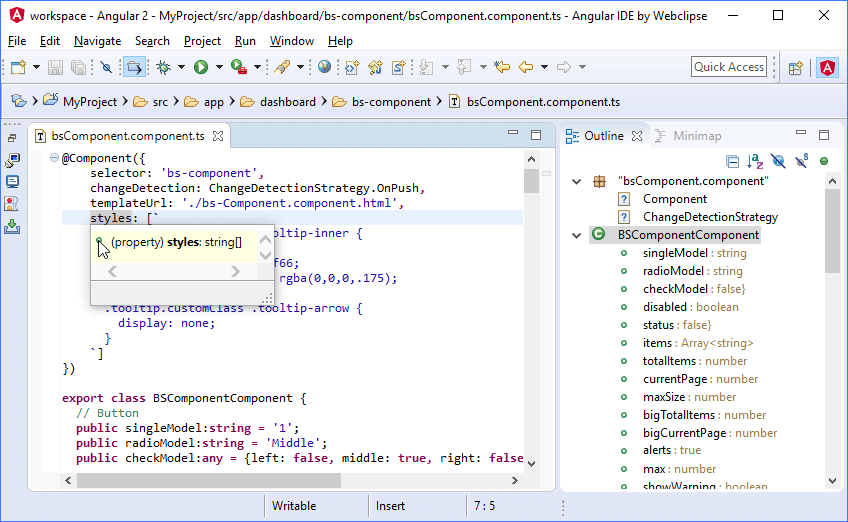
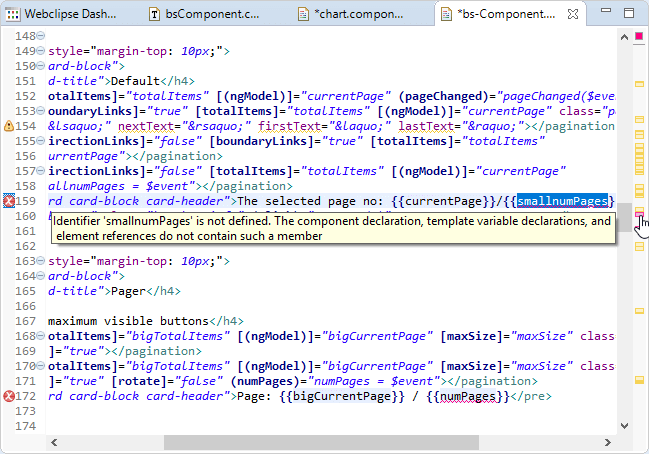
Now with Angular 9! Content assist, TypeScript 3 support, real-time validation, formatting, debugging, and more. Standalone version at Angular IDE.
Categories: Editor, Programming Languages, Web
Additional Details
Eclipse Versions: 2020-06 (4.16), 2020-03 (4.15), 2019-12 (4.14), 2019-09 (4.13), 2019-06 (4.12), 2019-03 (4.11), 2018-12 (4.10), 2018-09 (4.9), Photon (4.8), Oxygen (4.7), Neon (4.6), 2020-09 (4.17), 2020-12 (4.18), 2021-03 (4.19)
Platform Support: Windows, Mac, Linux/GTK
Organization Name: Genuitec, LLC
Development Status: Mature
Date Created: Wednesday, November 9, 2016 - 19:04
License: Commercial
Date Updated: Wednesday, December 14, 2022 - 09:49
Submitted by: Tim Webb
| Date | Ranking | Installs | Clickthroughs |
|---|---|---|---|
| May 2024 | 121/593 | 79 | 4 |
| April 2024 | 108/687 | 346 | 15 |
| March 2024 | 116/694 | 323 | 20 |
| February 2024 | 137/687 | 216 | 19 |
| January 2024 | 143/691 | 221 | 18 |
| December 2023 | 119/671 | 286 | 15 |
| November 2023 | 112/686 | 369 | 19 |
| October 2023 | 112/673 | 380 | 22 |
| September 2023 | 100/663 | 408 | 21 |
| August 2023 | 129/673 | 273 | 17 |
| July 2023 | 113/668 | 336 | 18 |
| June 2023 | 99/669 | 450 | 13 |
Unsuccessful Installs
Unsuccessful Installs in the last 7 Days: 42
Marketplace Drag to Install Button
By adding the following code below to your website you will be able to add an install button for Angular IDE.
HTML Code:
Markdown Syntax:
Output:

Reviews Add new review
Re: Upgrade to Angular 5 and Typescript 2.4
Submitted by Tony Weddle on Wed, 11/22/2017 - 03:54
In reply to Upgrade to Angular 5 and Typescript 2.4 by Thibaut accav
Thibaut, yes, a new release is due very soon, with full Angular 5 support. You can try the pre-release, if you like. For details on how to get onto the pre-release stream, please see this post: https://www.genuitec.com/forums/topic/webclipse-angular-ide-prerelease-…
Thanks for using Angular IDE.
Validation and Completion do not work out-of-the-box
Submitted by Oliver HD on Thu, 08/10/2017 - 08:34
I have e.g.:
page-xy.component.ts
page-xy.component.html
and linked via templateUrl.
But neither completion nor validation is working in the HTML for Angular - e.g. in ngModel=...
Are there any prerequisites that must be fulfilled to get this working?
Re: Validation and Completion do not work out-of-the-box
Submitted by Thibaut accav on Wed, 11/15/2017 - 09:09
In reply to Validation and Completion do not work out-of-the-box by Oliver HD
I have the same problem. Have you found a solution ?
Is this because of the new typescript and angular versions ?
Commercial Licence (Multi User Licence)
Submitted by samir ghoniem on Sun, 07/30/2017 - 04:14
May you send me an email with yours Commercial Licence plans please to (samir.andyou91@gmail)
Cheers!
doesn't work on Eclipse Mars
Submitted by cosmin cosmin on Mon, 07/03/2017 - 10:24
plug-in "com.genuitec.eclipse.typescript" was unable to instantiate class "com.genuitec.eclipse.typescript.text.TypeScriptEditor".
licensing models
Submitted by Daniel Hill on Fri, 05/26/2017 - 13:35
Do you have an multi-user (per-seat, site, etc.) licensing models?
Re: licensing models
Submitted by Tim Webb on Tue, 06/27/2017 - 17:20
In reply to licensing models by Daniel Hill
Apologies for the delay in responding -- missed this note! Yes, we do indeed have various models available for enterprise use. If you haven't spoken to someone on our side yet, the best way is either via live chat on our site or by emailing us at sales (at) genuitec.com. Cheers!
Not free
Submitted by Tim Fogarty on Tue, 02/28/2017 - 14:38
The license says Commercial - Free, but after 8 days it disables many features, including the TypeScript editor. It tries to get you to upgrade to a paid plan for $29 per year.
Free for 8 days per month
Submitted by Tim Webb on Wed, 04/05/2017 - 12:26
In reply to Not free by Tim Fogarty
Thanks for your comment. It is true that after 8 days in a given month, it is paid. I've changed the license type to be clearer. However, for people learning Angular part-time, this is indeed free unlike other software that just has a 30 day eval period. You can use this IDE every month indefinitely without paying, just in a freemium 8 days model. Cheers!
Beautifully awesome!!! =D
Submitted by Eligio Merino on Thu, 11/10/2016 - 14:14
This is not just an IDE but also an awesome experience that took my breath away!! In the early Angular2 days, I tried Eclipse-based free solutions such as Enide, Angular2Eclipse and TypEcs but the problem with those was a partial TypeScript validation for Angular2 projects - specially the ones based on Angular-Cli. You know, there was not fully *.ts validation (sometimes none) for building components neither an accurate component-template wiring across the application; also, text was all black for the code I was using to create a TypeScript class - I mean no text- coloring, what was that about?? In my frustration, I even turned to evaluate non-free solutions like WebStorm, and even it uses Angular-Cli and text-coloring I found their code assistant was limited for wiring .*ts components vs templates and - the most disappointing part - is that were no automation to add more components to my Angular-Cli based project.
(sigh) to be realistic, after 6 months of try-outs here and there, I was about to gave up in using of Angular2 as my front-end because as a 20-year experienced developer, I could not believe the lack of decent dev-tools for a wide and well-sponsored framework such as Angular2.
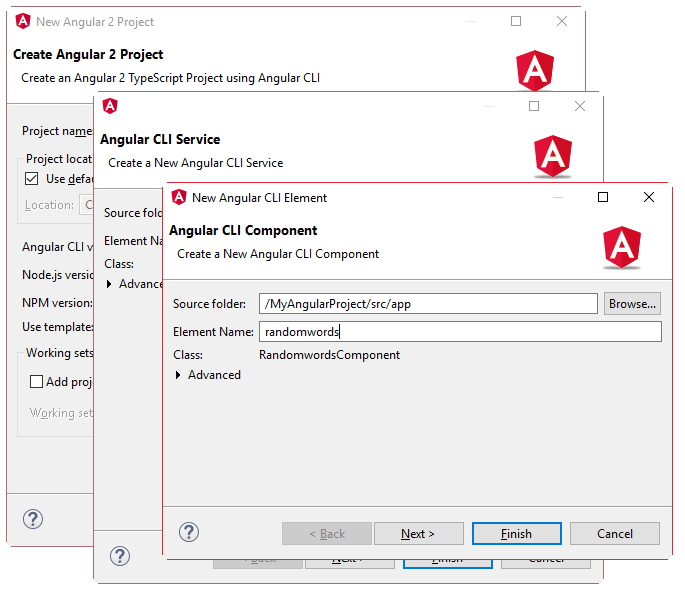
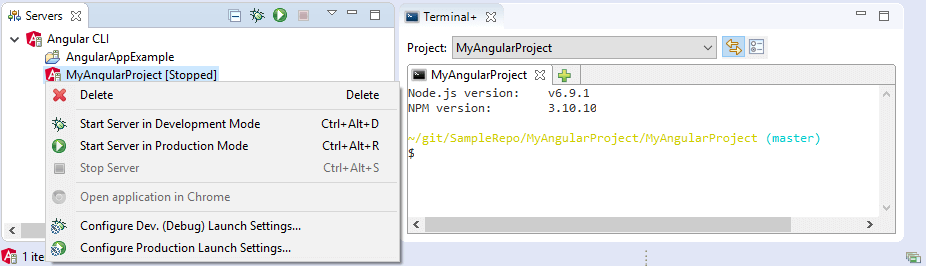
Today, my searching has definitely paid off!! I found AngularIDE to be so much more good and right over the solutions I have tried before. At first, I gave it a try by doing an installation from Eclipse marketplace; in just 5 minutes, I got it downloaded, installed/restarted in Neon and had my first HelloWord project created through AngularIDE wizard and running under nice terminals inside Neon - one for ng-building and the other for ng-running (quite useful as I can see live what is going on when I do changes to my code). These automation features were exactly was I looking for as to manually setup an Angular-Cli project - in my experience - is the hardest, tedious and longest step to achieve. But the big thing thing happened was when I clicked on 'Standalone version at Angular IDE' link above and realized there is a full download for AngularIDE (about 200MB) so I grabbed it and got installed. It was so nice to my eye in seeing it has a beautiful startup-splash image when loading - instead of the classic Eclipse splash screen - as well as for there are nice Angular2 icons from the IDE shortcut to the wizards (components, class, enums, etc.). Next step, I also created a HelloWorld project here and it also validates, refreshes and runs great!!
As for I have playing around with AngularIDE, today I can say that my Angular2 headaches are gone!! I do not even need to have NodeJS nor Angular-Cli nor TypeScript nor other dependencies installed on my machine to make my projects to build, compile and run - AngularIDE takes care all of that!! And even better, to have SBAdmin template automatically included in my projects is a great asset as it definitively saves me a lot of time from making Bootstrap manual integration =D
Bottom line, AngularIDE is insanely powerful and beautifully awesome!!! I still cannot believe it is for free!!! Could you??? Give it a try, most likely you will also tease all the fun I am having right now, just LOVE IT!!! ♥ :)
What I am missing
Submitted by Marc Bogaerts on Sat, 11/26/2016 - 05:34
In reply to Beautifully awesome!!! =D by Eligio Merino
I was very pleased to find out that my favourite IDE Eclipse now has terrific support for Angular2 and TypeScript. However I still miss the features that I'm used to when writing Java code. There seems to be no support to provide the necessary imports in an Angular component and I have to do it manually. Either I need some additional configuration or his is just missing. In the first case I'd like to know how to enable automatic import. In the latter I think this would be a great feature to add to this product.
Great feedback!
Submitted by Tim Webb on Tue, 11/29/2016 - 08:47
In reply to What I am missing by Marc Bogaerts
Automatic import is very high on our list! We have a CI 9 release going out tomorrow that has improvements to content assist, reliability of validation, improvements with ngModel validation, and more importantly nice TSlint support. CI 9 also starts on a series of quick fixes you can make, though LOTS more coming there. For 2017 CI 1 going out later in December, we do intend to have automatic imports -- the challenge for automatic imports is the scanning of the project structure including all the node_modules and we want to make sure we get it right to not slow down responsiveness! The goal is definitely to have it feel as smooth as the JDT, but it'll take us a few CI releases to fully get there. As you may have experienced, to get good TypeScript meant also combating a lot of other challenges in Eclipse when it comes to working with web languages!