
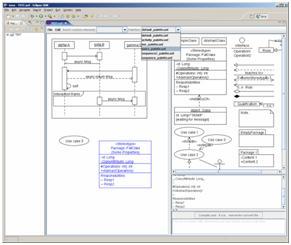
The free UML tool UMLet lets you draw UML diagrams with a light-weight, pop-up-free user interface. It lets you draw diagram sketches fast; export diagrams to pdf, eps, jpg, gif, svg, bmp, png, and system clipboard; share diagrams using Eclipse 3+; and create your own custom graphical elements.
Categories: Documentation, Graphics, Modeling Tools, Tools, UML
Tags: UML, education, UML sketches, Favorite, Fast UML, Java Test, UMLet, Free UML for Eclipse, good, Amazing, y, to download, spam, funny
Additional Details
Eclipse Versions: 2023-03 (4.27), 2022-12 (4.26), 2022-09 (4.25), 2022-06 (4.24), 2022-03 (4.23), 2021-12 (4.22), 2021-09 (4.21), 2021-06 (4.20), 2021-03 (4.19), 2020-12 (4.18), 2020-09 (4.17), 2020-06 (4.16), 2020-03 (4.15), 2019-12 (4.14), 2019-09 (4.13), 2019-06 (4.12), 2019-03 (4.11), 2018-12 (4.10), 2018-09 (4.9), Photon (4.8), Oxygen (4.7), Neon (4.6), Mars (4.5), 2023-06 (4.28), 2023-09 (4.29), 2023-12 (4.30), 2024-03 (4.31)
Platform Support: Windows, Mac, Linux/GTK
Organization Name: The UMLet Team
Development Status: Production/Stable
Date Created: Saturday, November 5, 2005 - 23:50
License: GPL
Date Updated: Friday, October 6, 2023 - 10:50
Submitted by: UMLet Team
| Date | Ranking | Installs | Clickthroughs |
|---|---|---|---|
| April 2024 | 41/684 | 1012 | 28 |
| March 2024 | 50/694 | 877 | 28 |
| February 2024 | 49/687 | 730 | 17 |
| January 2024 | 50/691 | 814 | 29 |
| December 2023 | 33/671 | 1200 | 30 |
| November 2023 | 36/686 | 1251 | 36 |
| October 2023 | 34/673 | 1471 | 45 |
| September 2023 | 49/663 | 900 | 27 |
| August 2023 | 60/673 | 643 | 21 |
| July 2023 | 52/668 | 760 | 20 |
| June 2023 | 31/669 | 1610 | 17 |
| May 2023 | 30/671 | 1863 | 30 |
Unsuccessful Installs
Unsuccessful Installs in the last 7 Days: 38
| Count | Error Message |
|---|---|
| 29 | Cannot continue the operation. There is another install operation in progress. |
| 9 | 无法继续操作。正在执行另一个安装操作。 |
Marketplace Drag to Install Button
By adding the following code below to your website you will be able to add an install button for UMLet - UML Tool for Fast UML Diagrams.
HTML Code:
Markdown Syntax:
Output:

Reviews Add new review
review umlet
Submitted by Zhyako Baqi on Sun, 04/21/2024 - 02:56
A very easy to use tool to create all kinds of UML, I have not had any issues with it so far. Overall, 10 out of 10
Simply The Best
Submitted by Saeid Saati on Sun, 07/09/2023 - 03:42
One of the best UML applications with ease of use
LOVE the Standalone version
Submitted by DANIEL CASSIANI on Thu, 11/24/2022 - 08:10
<p>I LOVE the Standalone version. When you get the hang of scripting on the (THX GOD) ONLY properties box, UML goes so fast. And great simple click and drag, no need of thousands of link and fill montrous properties like EA when all you want is to drag an arrow around... Somethings are just needed as KISS. This is for those who think UML is one of those, specially on huge buroucratic companies at a new project pre-analysis phase, where you just throw some note, include different Areas to ask for new APIs in a note in an arrow, and so on...</p>
Crashes on java enums
Submitted by Steven Maxwell on Tue, 05/31/2022 - 11:19
UML generation crashes when encountering a java enum.
Found an open issue from 2016 - umlet github issue 352 - no java enum support (sorry can't post link as it's not allowed). So if you want to use this tool to generate UML from existing source code and your project contains enums, its a no go.
crash eclipse
Submitted by Omar Enrique on Fri, 04/16/2021 - 21:25
I have problem with UMLet, right clicking on the background of the diagram causes the eclipse to crash
Im using Eclipse IDE for Java Developers Version: 2021-03 (4.19.0)
openjdk 11.0.10 2021-01-19 on ubuntu 20.04
Pointless
Submitted by mmisingname7v7 (not verified) on Thu, 01/28/2021 - 12:05
You can¨t work with this in current Eclipse. Hopefully you could at some point. Uninstalling this time-waster.
I cannot make it work in Eclipse 2020.09 ...
Submitted by m r on Fri, 10/30/2020 - 10:08
Hi, after a UML object creation I cannot edit it. Worst, Eclipse will not start again, only splash.
Simple and lightweight, perfect for me!
Submitted by Pelit Mamani on Sat, 05/09/2020 - 18:57
I love it! Perfect for this modern agile age, when productivity is measured through working code - not diagrams. UML is just for easy human communication, just outlining some points, it should take minutes (sometimes seconds), and that's exactly what UMLet is providing. Thanks :)
Simple and very very useful
Submitted by mufiz shaikh` on Sat, 03/07/2020 - 20:29
I like it a lot and it is my go to tool for class diagram. So far I have not faced any problem and serves my purpose very well
Fails to install in 2019-12
Submitted by Michael N. Lipp on Sun, 02/02/2020 - 09:07
I use UMLet about twice a year and have always liked it. But the current versio fails to install with:
An error occurred during the org.eclipse.equinox.internal.p2.engine.phases.CheckTrust phase.
Re: Fails to install in 2019-12
Submitted by UMLet Team on Thu, 02/06/2020 - 08:17
In reply to Fails to install in 2019-12 by Michael N. Lipp
We just tried a fresh install of latest Eclipse (pure download, no package manager) -- UMLet worked on our system.. Can you please send us more info (OS/JRE versions..) to info@umlet.com ? Thanks!
Re: Re: Fails to install in 2019-12
Submitted by Michael N. Lipp on Tue, 02/25/2020 - 06:54
In reply to Re: Fails to install in 2019-12 by UMLet Team
Looking through the log, I found "java.io.IOException: Exception in opening zip file: /home/mnl/.p2/pool/plugins/com.umlet.plugin_14.3.0.jar". Copying the file manually to that location fixed the problem (i.e. after copying, I could install from marketplace).
Here's the full stacktrace:
!ENTRY org.eclipse.equinox.p2.engine 4 4 2020-02-25 12:30:25.452 !MESSAGE An error occurred during the org.eclipse.equinox.internal.p2.engine.phases.CheckTrust phase. !SUBENTRY 1 org.eclipse.equinox.p2.engine 4 0 2020-02-25 12:30:25.452 !MESSAGE session context was:(profile=_home_mnl_tools_eclipse-latest_eclipse, phase=org.eclipse.equinox.internal.p2.engine.phases.CheckTrust, operand=, action=). !SUBENTRY 1 org.eclipse.equinox.p2.engine 4 0 2020-02-25 12:30:25.452 !MESSAGE Error reading signed content. !STACK 0 java.io.IOException: Exception in opening zip file: /home/mnl/.p2/pool/plugins/com.umlet.plugin_14.3.0.jar at org.eclipse.osgi.framework.util.SecureAction.getZipFile(SecureAction.java:340) at org.eclipse.osgi.internal.signedcontent.SignedBundleHook.getSignedContent(SignedBundleHook.java:217) at org.eclipse.equinox.internal.p2.engine.phases.CertificateChecker.checkCertificates(CertificateChecker.java:77) at org.eclipse.equinox.internal.p2.engine.phases.CertificateChecker.start(CertificateChecker.java:58) at org.eclipse.equinox.internal.p2.engine.phases.CheckTrust.completePhase(CheckTrust.java:55) at org.eclipse.equinox.internal.p2.engine.Phase.postPerform(Phase.java:255) at org.eclipse.equinox.internal.p2.engine.Phase.perform(Phase.java:105) at org.eclipse.equinox.internal.p2.engine.PhaseSet.perform(PhaseSet.java:50) at org.eclipse.equinox.internal.p2.engine.Engine.perform(Engine.java:80) at org.eclipse.equinox.internal.p2.engine.Engine.perform(Engine.java:48) at org.eclipse.equinox.p2.operations.ProvisioningSession.performProvisioningPlan(ProvisioningSession.java:181) at org.eclipse.equinox.p2.operations.ProfileModificationJob.runModal(ProfileModificationJob.java:76) at org.eclipse.equinox.p2.operations.ProvisioningJob.run(ProvisioningJob.java:190) at org.eclipse.core.internal.jobs.Worker.run(Worker.java:63) Caused by: java.nio.file.NoSuchFileException: /home/mnl/.p2/pool/plugins/com.umlet.plugin_14.3.0.jar at java.base/sun.nio.fs.UnixException.translateToIOException(UnixException.java:92) at java.base/sun.nio.fs.UnixException.rethrowAsIOException(UnixException.java:111) at java.base/sun.nio.fs.UnixException.rethrowAsIOException(UnixException.java:116) at java.base/sun.nio.fs.UnixFileAttributeViews$Basic.readAttributes(UnixFileAttributeViews.java:55) at java.base/sun.nio.fs.UnixFileSystemProvider.readAttributes(UnixFileSystemProvider.java:149) at java.base/sun.nio.fs.LinuxFileSystemProvider.readAttributes(LinuxFileSystemProvider.java:99) at java.base/java.nio.file.Files.readAttributes(Files.java:1763) at java.base/java.util.zip.ZipFile$Source.get(ZipFile.java:1225) at java.base/java.util.zip.ZipFile$CleanableResource.<init>(ZipFile.java:727) at java.base/java.util.zip.ZipFile$CleanableResource.get(ZipFile.java:844) at java.base/java.util.zip.ZipFile.<init>(ZipFile.java:247) at java.base/java.util.zip.ZipFile.<init>(ZipFile.java:177) at java.base/java.util.zip.ZipFile.<init>(ZipFile.java:191) at org.eclipse.osgi.framework.util.SecureAction.getZipFile(SecureAction.java:322) ... 13 morePaid Support
Submitted by Oliver Cole on Thu, 09/12/2019 - 13:49
I work for a large contractor doing air traffic control work for the FAA. We are lookijng at using this tool (I am evaluatiing), but we would want some kind of paid support. Do you all have maintenance/support contracts?
Crashing
Submitted by jonathan comley on Sun, 06/30/2019 - 13:07
Thanks for your great tool.
Running Ubuntu 19.04 on Lenovo Yoga 530 AMD Ryzen 7 laptop.
Using UMLet from within Eclipse and right clicking on a diagram makes Eclipse crash. Any ideas?
Eclipse IDE for Java Developers
Version: 2019-03 (4.11.0)
Build id: 20190314-1200
OS: Linux, v.5.0.0-20-generic, x86_64 / gtk 3.24.8
Java version: 11.0.3
Re: Crashing
Submitted by UMLet Team on Wed, 07/03/2019 - 05:12
In reply to Crashing by jonathan comley
Hi! Thanks for reporting! A bit tricky to reproduce; just quick question: does it run stand-alone? Can you test on another Linux setup? And could we maybe move this thread to -> info@umlet.com ?
Thanks!
The UMLet Team
Creat App and Free!!!
Submitted by Volodymyr Kniazkov on Mon, 05/27/2019 - 06:48
It is an amazing tool! It helps you to create any diagrams and export them as a pdf file!!!
UMLet 14.3 standalone on Windows 7
Submitted by Bob Geriadiode on Tue, 03/05/2019 - 20:23
Just started to use UMLet to design a music-related database-driven application in Lazarus free pascal. I am very impressed with UMLet's intuitive user interface. It has enabled me to generate a suite of class diagrams at several levels of detail which exactly fit my needs.
UMLet plugin for Eclipse Version: 2018-12 (4.10.0)
Submitted by Mei Chee on Sun, 02/24/2019 - 04:36
I am Macos Mojave user. Initially I downloaded the umlet-eclipse-p2-14.3.0.zip file, unziped and copied the com.umlet plugin version 14.3 jar file to the Eclipse plugins area but it did not work then tried to place in the p2 but it did not work.. After many attempts, I managed to install UMLet uml tool fast uml diagrams as suggested in marketplace and it worked. I created a Use Case diagram and saved it and closed Eclipse. I reopened Eclipse and tried to access my use case diagram and it hanged Eclipse and I had to force Eclipse closed. This hangs the Eclipse every time. I don't know what to do now as this is for my programming course in Australia. I have access to the error logs and I can send it if needed.
Re: UMLet plugin for Eclipse Version: 2018-12 (4.10.0)
Submitted by UMLet Team on Wed, 02/27/2019 - 09:08
In reply to UMLet plugin for Eclipse Version: 2018-12 (4.10.0) by Mei Chee
Hi -- sorry to hear that, although unfort. we are not surprised.. First, it'd probably be best for you to use UMLet standalone on macOS, or if you only need very light-weight diagrams, the online version at www.umletino.com.
We are aware of an Eclipse plugin issue on macOS, but we have been unable to track it down, as the logs do not seem to point to the core issue here; we suppose it's an interplay with Swing. It usually happens with multiple UMLet windows open.
Sorry again!
The UMLet Team
UMLET
Submitted by Odile LAMBERT on Sun, 09/30/2018 - 11:13
This is a very nice software but full of bugs. On xubuntu 18.04 I crashed Eclipse 5 times in 30 minutes.Conclusion it is not usable for the moment
Re: UMLET
Submitted by UMLet Team on Mon, 10/01/2018 - 09:53
In reply to UMLET by Odile LAMBERT
Hi -- we develop and test the plugin variant of UMLet mostly on Eclipse & Windows. It's a bit tricky to also check for the myriads of other combinations. If you can reproduce the crash, could you please send the Eclipse log entries contained in your workspace's .metadata/.log to info@umet.com? Thanks, The UMLet Team
Cannot edit the class attributes
Submitted by Michael Grouse on Thu, 05/03/2018 - 10:04
I cannot get an editing cursor to appear in the lower right window where the attributes of a class are supposed to be edited. When I click on a line, I get a yellow line highlite, and no cursor. When I type nothing happens.
I am on a clean Oxygen install on OS X.
Not useable at this point.
Re: Cannot edit the class attributes
Submitted by UMLet Team on Wed, 05/16/2018 - 11:15
In reply to Cannot edit the class attributes by Michael Grouse
Hi,
we'll try to replicate this; given the large # of combinations of OS, Eclipse versions, and Java versions, such issues are tricky to test comprehensively. OS X & latest Ecl version is always a hot candidate for some mess-up.
Feel also free to directly notify us of such bugs via email.
Cheers,
The UMLet Team
UMLet Eclipse Installation - first impressions
Submitted by David Singleton on Wed, 10/11/2017 - 04:03
I am using Eclipse Juno. The installation worked well. After downloading the .zip file, copying it to the eclips plugins filder and restarting eclipse, I was able to draw my first diagram. It seems to work well.
with out downloading option, is this really useful?
Submitted by pradeep cs on Sun, 07/30/2017 - 04:44
I didnt see any download option.
fix the installation
Submitted by dvd gsng on Mon, 02/20/2017 - 05:05
Fix these:
- no update url
- no drag-able install icon
- not listed in Eclipse integrated marketplace search
Why isn't there a strict rule for marketplace that requires any plugin listed here to provide these? Horrible user experience.
Re: fix the installation
Submitted by UMLet Team on Thu, 03/02/2017 - 05:22
In reply to fix the installation by dvd gsng
A few comments to outline our view on this..
We have implemented an install icon and released it about two months ago for a few days, but hit some compatibility issues. After a relatively quick check did not result in a fix, we abandoned this thread for the time being; we want to focus on the tool itself, instead of its surrounding infrastructure, as our time is limited. But no excuse here, we just stumbled over some technicality, and, being lazy, did really not enjoy digging in.
On a more general note, I personally am not a very big fan of this drive towards "user friendly" install overheads; I personally dislike installers in general; am not fond, e.g., of the "virtual drive downloads" on OS X for many tools (why the extra layer?); and am bothered by how many plugins seem to hide/forget their simple basic package downloads in favor of update sites/drag-and-drop buttons etc. As for the latter, if you use Eclipse over X-Windows, or Eclipse on a server farm without internet access, these "helpful" installation methods won't work, might send Eclipse (and other tools) into a non-stop and futile internet lookup; and require relying on the old school package download anyway -- if that way is neglected or unsupported, the whole exercise becomes excruciating fast. In short, in many instances I like to download what I want directly, and in the version I choose, and start it right away. But I am aware that that's a very personal take on all this, and largely gut-driven -- we will in fact look into install support down the line again, and hope to then put this to rest.
download button doesn't work
Submitted by Jai Bin on Fri, 08/19/2016 - 03:11
Try to download this for my Eclipse, but download button not available. It's also not possible to find the tool via the marketplace in Eclipse. How can I get this tool?
Easy to use, complete and free!
Submitted by Bernardo López on Wed, 07/27/2016 - 14:35
Great tool, I'd recommend it to any level (beginner to pro).
Easy to use, complete and free!
Nice Product
Submitted by Pankaj Gupta on Thu, 07/07/2016 - 08:21
Nice and helpful. easy to use and fast.
I love this tool
Submitted by vit bernatik on Fri, 04/01/2016 - 12:19
thank you!
Just passing by to say thanks
Submitted by mathias Zenner on Thu, 03/31/2016 - 15:59
This tool is great once you get started... Great job for the people who made it possible to use if open source.
Excelent app & plugin
Submitted by Andres Oviedo on Wed, 02/03/2016 - 06:36
This tool is enough to make fast simple & nice documentation.
To install the plugin just drop the jar into the 'eclipse/plugins' folder.
Enjoy
Download button inactive
Submitted by Tomas Cabrera on Thu, 01/21/2016 - 06:28
This tool cannot be downloaded from the Marketplace, no download or install button available
A developer's UML tool
Submitted by Harx Mising name on Tue, 12/08/2015 - 10:12
This is an outstanding, lightweight tool for quick UML markup. This is the perfect tool for someone that is a developer, not a business analyst, and when just needs to quickly diagram some knowledge to add to a story or wiki.
I've used mostly Visio in the past but was looking for something open-source and Linux-friendly without all the bells and whistles, this is exactly what I needed.
Excellent and lightweight tool
Submitted by Glenn Dollard on Wed, 11/25/2015 - 09:59
No need for over-loaded UML applications, this tool fits the bill nicely.
Can't Download
Submitted by John Marcinek on Fri, 11/20/2015 - 07:51
There's no download button. I created an account and logged in but still no button.
Simply awesome tool
Submitted by Mithun Pissay on Thu, 11/12/2015 - 07:13
Simplistic approach at UML designs and very light weight, loving it. Am using as stand alone without eclipse integration, it makes navigation and reference lookup on code very much comfortable.
How to install it in eclipse.
Submitted by jianwu chen on Sun, 10/11/2015 - 20:25
There's no install button for this add on.
Awesome, awesome tool.
Submitted by Binh Nguyen on Thu, 09/24/2015 - 20:03
UMLet makes going back and modifying diagrams so easy!
Simple, fast and easy to use
Submitted by Rafal Piotrowski on Wed, 09/16/2015 - 04:42
Great tool.
The power of simplicity
Submitted by Fabio Almeida on Wed, 08/26/2015 - 20:08
It's a simple and powerful tool.
Great UML Tool with some minor frustations
Submitted by Chris No on Wed, 02/04/2015 - 03:12
I love the ease of making quick UML diagrams with this. Easy to use and customize elements and charts for you own purposes. There are however a few disadvantages that drive me nuts while trying to make quick diagrams on the fly:
- Line tools like the "has a" and "is a" always get copied behind to the back layer, this is EXTREMELY frustrating when trying to align new elements up. Why would you ever want to copy a new object to the back z index? You can right click and change the layer to bring it to the front, but this just destroys the whole flow and experience.
- Its a bit tricky to grab and move the smaller elements as the grab handle for elements is relatively small.
- It takes a bit of getting used to, but ctrl selecting is used to lasso objects where simple clicks move the screen around. I understand this is more of a preference but I find it much nicer to select lasso with a simple click and use the ctrl + mouse to move around.
- When double clicking on elements (this duplicates them), it sometimes places itself at the end of another line segment automatically attaching itself to that line or connector. This means I have to either copy and paste (Which can have the same effect depending on the area of the screen, forcing me to move the screen so that the upper left corner is free (where the new element gets pasted)) or create one from the elements palatte.
Other than that, I really do like how fast I can make beautiful custom UML diagrams with little effort!
4.5/5 :D
Deactivate sticking relations
Submitted by UMLet Team on Tue, 02/24/2015 - 08:19
In reply to Great UML Tool with some minor frustations by Chris No
Quick hint on your last point: while pressing SHIFT, elements/relations don't stick (we will put this more prominently in the hints/FAQ..)
Easy, fast and useful! Excelent!!
Submitted by Serch Romo on Mon, 01/12/2015 - 12:13
This is a very nice and easy to use application. To download it I visited the next URL: www.umlet.com/changes.htm
Besides if you want to get more information, then visit the web site:
www.umlet.com
No problems to run it in Linux and Windows it's so beautiful :')
Plain Simple!
Submitted by Rodrigo Alarcon on Tue, 12/30/2014 - 09:18
It will take a little to learn the fields you can add to the "properties" for each UML element but once you understand how it works it is so easy to get the job done!
Unavailable?
Submitted by Mark Secrist on Thu, 10/30/2014 - 06:43
What the heck?? Is this no longer available? I'm logged in but now apparent download link.
Great Tool
Submitted by Avinash Anand on Mon, 08/25/2014 - 01:45
nice and easy to use tool. export feature is very helpful.
Excellent tool for UML.
Submitted by jose eguia on Sat, 08/23/2014 - 12:00
Very nice piece of software. Easy to use, responsive, ideal for quick UML diagrams without having any code generation baggage behind it.
very good, thanks guys!!!
Submitted by Jose Luis Jaur… on Tue, 07/01/2014 - 15:17
very good, thanks guys!!!