
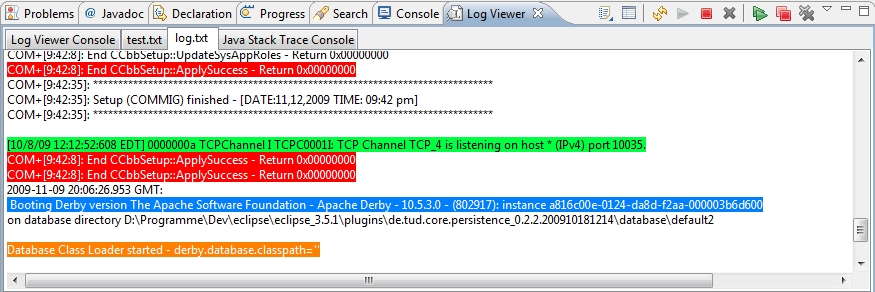
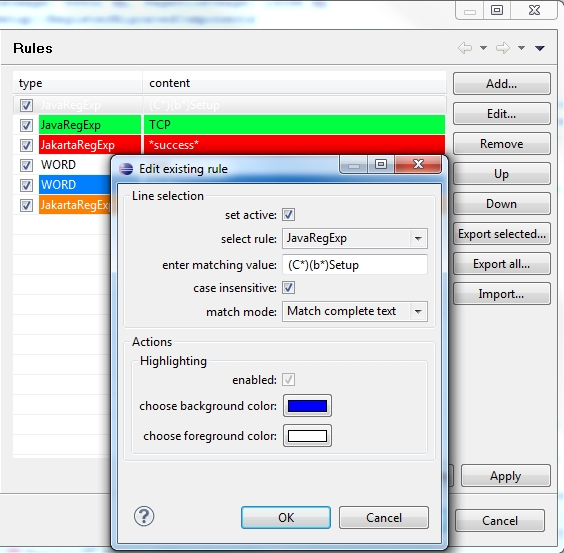
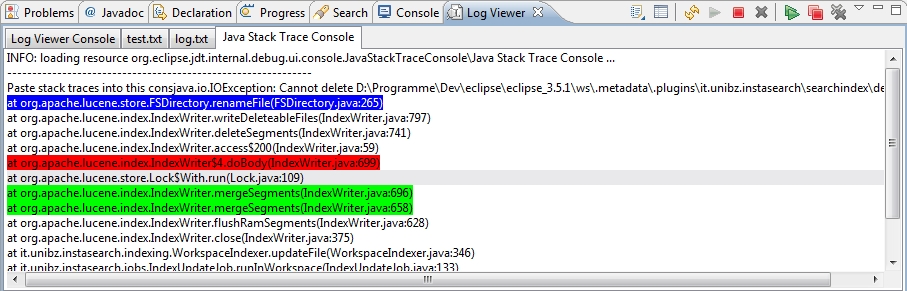
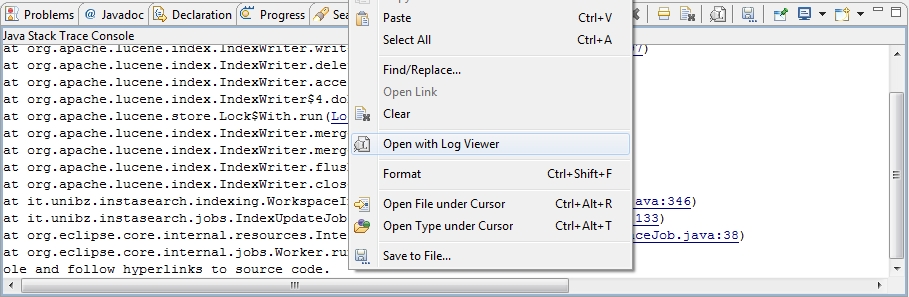
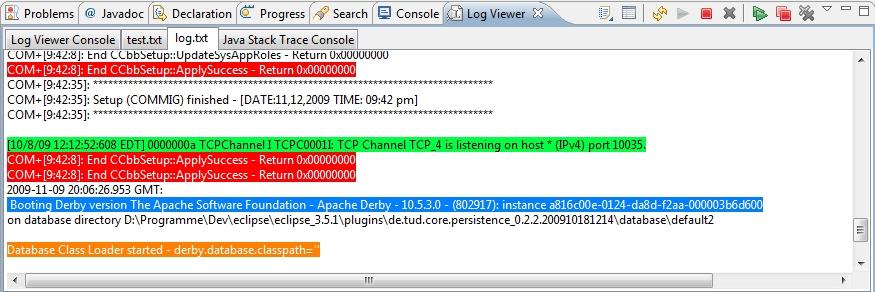
Eclipse Plug-in for tailing log files and eclipse consoles (e.g. SVN, Java Stack Trace, CDT), including syntax coloring with either a regular expression or a word match. It allows you to have multiple logs open concurrently. Screenshots: https://raw.githubusercontent.com/anb0s/LogViewer/master/de.anbos.eclip… https://raw.githubusercontent.com/anb0s/LogViewer/master/de.anbos.eclip… https://raw.githubusercontent.com/anb0s/LogViewer/master/de.anbos.eclip… https://raw.githubusercontent.com/anb0s/LogViewer/master/de.anbos.eclip… Changelog: 0.9.8.8 (2011-08-07) * switched from SVN to GIT, please use GIT from now * New update site URL: http://logviewer.eclipselabs.org.codespot.com/git/de.anbos.eclipse.logv… * Issue 53 : Input of invalid regular expressions is possible in the rules preferences * Issue 55 : Improve FileTail's exception handling * Issue 56 : Error on Tail all action with already tailing document 0.9.8.7 (2011-03-07) Issue 32 : Translation (German translation added) Issue 35 : Tail option's auto-refresh/scrolling is very slow - is unusable (added some small fixes) Issue 38 : Cannot enter colors using Mac OS X Issue 51 : Provide possibility to open log file from the beginning on Issue 52 : Using java5 jre on ubuntu throws error 0.9.8.6 (2010-08-15) Issue 43 : Null Pointer error in ResourceUtils?.getResource() Issue 44 : Exception if opening binary file 0.9.8.5 (2010-08-10) Issue 42 : LogViewer? will not start up (isEmpty method is not available on Java5) should be compatible with Java 5 (JRE 1.5) again
Additional Details
Eclipse Versions: 2020-06 (4.16), 2020-03 (4.15), 2019-12 (4.14), 2019-09 (4.13), 2019-06 (4.12), 2019-03 (4.11), 2018-12 (4.10), 2018-09 (4.9), Photon (4.8), Oxygen (4.7), Neon (4.6), Mars (4.5), Luna (4.4), Kepler (4.3), Juno (4.2, 3.8), Previous to Juno (<=4.1), 2020-09 (4.17), 2020-12 (4.18), 2021-03 (4.19)
Platform Support: Windows, Mac, Linux/GTK
Organization Name: anb0s
Development Status: Beta
Date Created: Friday, December 4, 2009 - 15:09
License: Apache 2.0
Date Updated: Tuesday, April 21, 2015 - 11:02
Submitted by: Andre Bossert
| Date | Ranking | Installs | Clickthroughs |
|---|---|---|---|
| April 2024 | 228/684 | 76 | 8 |
| March 2024 | 199/694 | 125 | 13 |
| February 2024 | 204/687 | 99 | 8 |
| January 2024 | 234/691 | 83 | 18 |
| December 2023 | 211/671 | 97 | 14 |
| November 2023 | 235/686 | 90 | 15 |
| October 2023 | 223/673 | 102 | 23 |
| September 2023 | 206/663 | 108 | 11 |
| August 2023 | 209/673 | 96 | 7 |
| July 2023 | 220/668 | 82 | 20 |
| June 2023 | 205/669 | 107 | 13 |
| May 2023 | 199/671 | 123 | 10 |
Marketplace Drag to Install Button
By adding the following code below to your website you will be able to add an install button for LogViewer.
HTML Code:
Markdown Syntax:
Output:

Reviews Add new review
Remote log
Submitted by Alex Zin on Sun, 08/30/2020 - 05:16
How views a remote log file?
URL to mirror Plug-in
Submitted by Kimmo Berghäll on Tue, 02/26/2019 - 09:38
What is correct URL to mirror plugin to local mirror?
Re: URL to mirror Plug-in
Submitted by Andre Bossert on Mon, 09/09/2019 - 06:38
In reply to URL to mirror Plug-in by Kimmo Berghäll
http://anb0s.github.io/LogViewer
Can we view remote log over SSH ?
Submitted by Dwijadas Senapati on Wed, 06/27/2018 - 03:22
Possible to view remote log ?
Re: Can we view remote log over SSH ?
Submitted by Andre Bossert on Wed, 06/27/2018 - 09:08
In reply to Can we view remote log over SSH ? by Dwijadas Senapati
No it's not supported yet. See issue with workaround: https://github.com/anb0s/LogViewer/issues/81
Crashes & Hangs on Kepler
Submitted by mm105@xs4all.nl on Wed, 04/03/2013 - 11:41
Under Kepler dev version, this plugin causes hangs
Please use Bug-Tacker @ GitHub to provide more information
Submitted by Andre Bossert on Wed, 08/26/2015 - 16:22
In reply to Crashes & Hangs on Kepler by mm105@xs4all.nl
Added this issue "https://github.com/anb0s/LogViewer/issues/84", please comment there, Thanks!
recommended for local development enviroment
Submitted by Samuel Suther on Mon, 03/19/2012 - 10:08
For a local development-Enviroment this plugin is highly recomended.
I log my apache and php-Logfiles with it, while i debug my web-apps
Very easy to use, clean layout, good overview. I love it!