
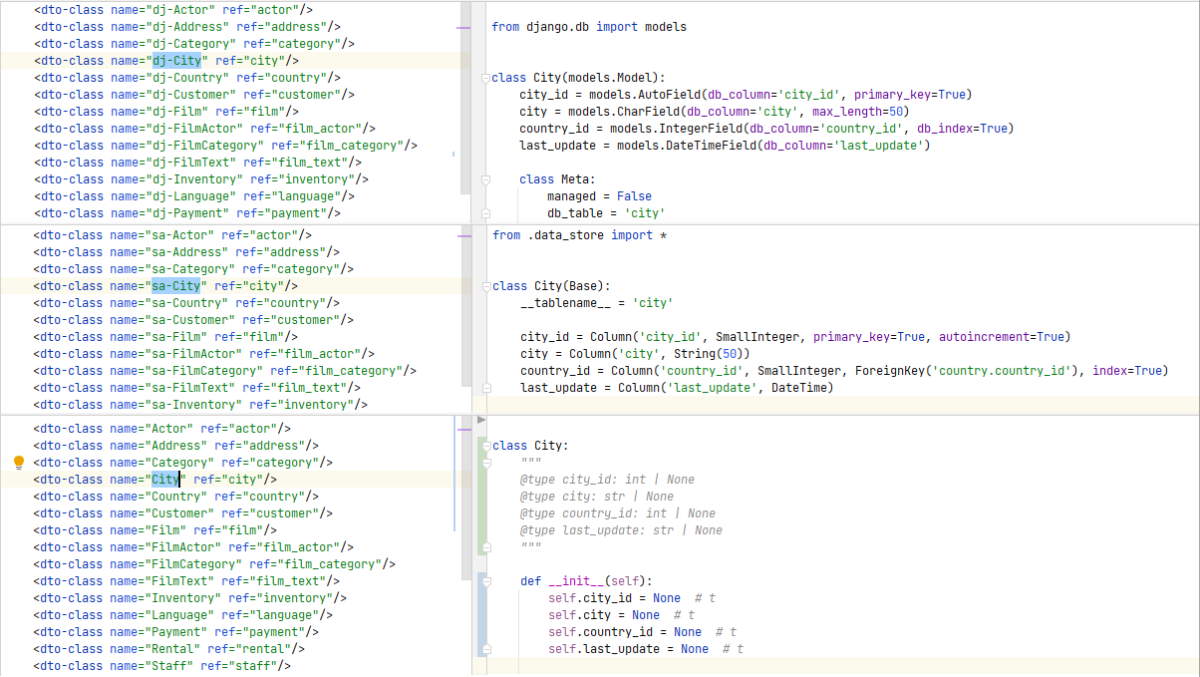
SQL DAL Maker is a generator of DTO, Model, and DAO classes to access relational databases. Target programming languages: PHP, Java, C++, Python, and Go. To generate the class, you declare it in XML meta-program.
At the stage of code generation, the target database must exist and be available for JDBC connection. Generated code is being synchronized with the current database schema using "live" JDBC metadata.
Categories: Database Persistence, Modeling Tools
Additional Details
Eclipse Versions: 2024-03 (4.31), 2023-12 (4.30), 2023-09 (4.29), 2023-06 (4.28), 2023-03 (4.27), 2022-12 (4.26), 2022-09 (4.25), 2022-06 (4.24), 2022-03 (4.23), 2021-12 (4.22), 2021-09 (4.21), 2021-06 (4.20), 2021-03 (4.19), 2020-12 (4.18), 2020-09 (4.17), 2020-06 (4.16), 2020-03 (4.15), 2019-12 (4.14), 2019-09 (4.13), 2019-06 (4.12), 2019-03 (4.11), 2018-12 (4.10), 2018-09 (4.9), Photon (4.8), Oxygen (4.7)
Platform Support: Windows, Mac, Linux/GTK
Organization Name: .
Development Status: Production/Stable
Date Created: Tuesday, August 2, 2011 - 18:05
License: Other Open Source
Date Updated: Thursday, March 7, 2024 - 15:31
Submitted by: Andrey Panedrone
| Date | Ranking | Installs | Clickthroughs |
|---|---|---|---|
| April 2024 | 338/670 | 23 | 11 |
| March 2024 | 364/694 | 29 | 23 |
| February 2024 | 265/687 | 55 | 26 |
| January 2024 | 407/691 | 19 | 20 |
| December 2023 | 304/671 | 41 | 9 |
| November 2023 | 353/686 | 34 | 13 |
| October 2023 | 331/673 | 39 | 12 |
| September 2023 | 315/663 | 38 | 7 |
| August 2023 | 284/673 | 48 | 18 |
| July 2023 | 324/668 | 32 | 9 |
| June 2023 | 350/669 | 29 | 5 |
| May 2023 | 308/671 | 46 | 9 |
Marketplace Drag to Install Button
By adding the following code below to your website you will be able to add an install button for SQL DAL Maker.
HTML Code:
Markdown Syntax:
Output:

Reviews Add new review
Error while installing...
Submitted by Eduardo Jaunez on Tue, 10/17/2023 - 14:02
Re: Error while installing...
Submitted by Andrey Panedrone on Wed, 10/18/2023 - 12:04
In reply to Error while installing... by Eduardo Jaunez
try this as update url
https://sourceforge.net/projects/sqldalmaker/files/eclipse
this is free software
Submitted by Andrey Panedrone on Tue, 02/20/2018 - 10:18
SF tald something about datacenter. please re-try
Re: this is free software
Submitted by Roberto Gamarra on Thu, 02/22/2018 - 07:02
In reply to this is free software by Andrey Panedrone
great!!
installed!
thanks
Unable to read repository at http://sqldalmaker.sourceforge.net/
Submitted by Roberto Gamarra on Fri, 02/16/2018 - 07:36
Unable to read repository at http :// sqldalmaker.sourceforge.net/eclipse.
http sqldalmaker.sourceforge.net / eclipse is not a valid repository location.